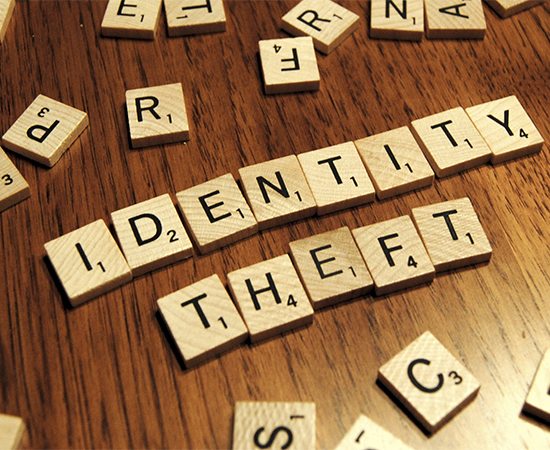
 You and your staff work hard at meeting all the compliance requirements for HIPAA. It would be easy to forget that as a business you also are required to be FACTA compliant as well. FACTA stands for Fair and Accurate Credit Transaction Act. It is generally known as the law which allows Americans access to their credit report once per year. So what could this law possibly have to do with you?
Whether you have 1 employee or 1 million, the liabilities associated with the privacy laws apply to your business. If you’re not keeping up it could destroy your bottom line. In 2006, the VA had 1.6 million records stolen. Fallout from that one incident led to the end of many careers and the individuals whose records were compromised have the right to sue for financial damages.
That’s a lot of lawsuits and even more money. As businesses, we can no longer afford to be lax about protecting our customers’ personal information – and our own. Business identity theft, like personal identity theft, is also rising significantly.
What can Businesses Do to Prevent Identity Theft?
First, to prevent identity theft, we need to follow basic security practices to physically protect our customers’ personal information and other business data. Second, we need to ensure that our information systems, such as computer networks, aren’t open targets for identity theft.
Secure your business premises with locks and alarms.
Alarm systems are effective deterrents to criminals thinking of breaking into your business, including those persons intent on identity theft – especially alarm systems that are monitored by a security company. Make sure external doors have deadbolts and that exposed windows are secured with security film, bars, screens or shatter-proof glass.
Put your business records under lock and key.
Store your physical business records, such as customer records and other data on paper, in locking filing cabinets – and lock the filing cabinets at night, or at those times during the day that you and your staff will not be “supervising” access (such as lunch time). Put copies of system and database backups and “important” business data in your safe (or in your security deposit box at the bank if you don’t have an on-site safe).
Shred, Shred, Shred!
Business records of any kind should never just be tossed into the trash or recycling bin where they can become a bonanza for criminals intent on identity theft; instead, all business records that you no longer have a use for should be shredded. Businesses that operate out of small and home offices can buy inexpensive shredders at any office supply store; for businesses with volumes of material to be disposed of, there are shredding services that will come and do what needs to be done.Pay special attention to the mail, a favorite source for identity theft. Anything that has your name and address on it should be shredded, and that includes most bills.
Be cautious on the phone.
It’s easy for someone to pretend to be someone they’re not on the phone. Whether it’s someone who wants personal information on a particular customer, or someone who claims they need to verify one of your personal accounts, don’t give out information over the phone unless you can positively confirm the caller’s identity.
The Better Business Bureau warns “Information thieves and stalkers tell authorities over and over how easily they were able to obtain all sorts of valuable information simply by calling small business owners or personnel departments and asking. Posing as government agencies or credit grantors or health insurance providers, these thieves have found that a well-crafted, believable story can often get past the best locking file cabinets or password-protected computers,”
Limit access to your computers.
Your computer network needs to be password protected, of course, so that anyone who wanders through your office can’t just access your network. But you also need to consider issues of internal network access. Does every employee need to be able to access programs or databases that may contain sensitive information? Passwords protect these, too, and grant access on a “need-to-know” basis to help cut down identity theft.
Protect your computer from hackers.
Hacking into company systems and databases appears to have become a favorite identity theft technique – perhaps because in so many cases, it’s so easy. Your computer network needs to be protected by firewalls, which help keep out intruders by shutting out unauthorized people and letting others go only to the areas they have privileges to use. You can purchase firewalls at any computer store (or online). Another option for small or home businesses is to purchase and install a small (four to eight port) router. These often have firewall protection capability. If you’re running Windows operating systems, it’s also important that you keep your operating system updated, installing the various patches as they come out. Often these patches are fixes for security holes. (If you use Windows XP, you will be alerted automatically to these updates.)
Be aware the Internet is a dangerous place.
Ordering something off the ‘Net using a credit card is not dangerous, as long as you are placing your order through a secure site. However, there are other dangers, such as Spy ware and viruses that attempt to download automatically when you or your employees visit certain sites. If you are using Internet Explorer, make sure that you go to “Internet Options” and set the security options to a higher setting on each computer; the default is set to allow just about anything to download.
If your company has a web site, be careful as to what kind of information you post on your site and how. If you are going to place sensitive information on the ‘Net, (something you should be very cautious about), such as financial data or customer databases, it needs to be password protected and encrypted.
Avoid broadcasting information.
The other day I made a purchase at a computer store. The associate asked me for my phone number and popped up all my personal information on a terminal in front of him – right in plain view of five other customers! I was tempted to ask him if he wanted to read it all off out loud to make it even easier for them all to remember it.
This sort of cavalier sharing of personal information, which makes identity theft so easy, has to stop. Train your employees to be sensitive to customer information issues, making sure they keep customer information private when they’re dealing with individual customers. Turning computer screens so that they can’t be viewed by anyone except the operator is a simple thing. Practices such as not repeating customer information out loud or not leaving files with customer information lying open on counters should also be put in place.
Create and enforce a company wide security policy.
The purpose of your security policy is to educate your employees about issues such as identity theft and data protection. It should include information on email policies (such as what email filters are in place and how to deal with suspicious email), computer network access, Internet use policies (such as how to increase browser security settings and safe practices, such as disconnecting from the ‘Net when they’re done using it), customer information protection strategies, and how to report incidents or violations. In other words, a manual of the issues involved with security and threats such as identity theft and what to do about them.
Disconnect ex-employees immediately.
When employees no longer work for your business, you need to be sure that their access to your computer network and company data is cut off immediately.
Will all this create more trouble and expense for your small business? Yes. But unfortunately, with identity theft becoming rampant, taking these steps to prevent identity theft for you and your customers is necessary.
Victim of Identity Theft?
What to do if you might be a victim of identity theft . . .
Those of us in the information security business talk about identity theft all the time. Identity Theft has risen 13% from 2010 to 2011. We thought it might be a good idea for our clients to have a check list of things to do if you feel you have become a victim. Remember: “THIS IS NOT LEGAL ADVICE”. It’s just a suggestion on where you can start when you feel victimized!
Call the IRS and inform them you believe you are a victim of identity theft. (Often the way you will find out that something is amiss is when you don’t receive your refund check. It may have been issued to the thief who has assumed your identity).
Fill out IRS Form 14039 and fax or mail back to IRS.
Contact the Social Security Administration ( If you go to their website they have an Identity Theft webpage). If you contact them by phone they will tell you to contact the Federal Trade Commission.
Contact the Federal Trade Commission (877-438-4338). After you contact them by phone, you will be sent an Identity Theft Complaint Affidavit.
Contact your local police department and tell them you have been a victim of identity theft. Make sure you get a case number and follow up in a few days to get the full police report. Make sure you put that police report in your Credit bureau file.
Contact one of the three credit bureaus: Equifax at 800-525-6285, Trans Union at 800-680-7289, or Experian at 888-397-3742.Tell them you are entitled to make a victim-of-fraud statement that will be put into your credit history along with your police report.

 Pay Online
 Client Login